Find the family fast
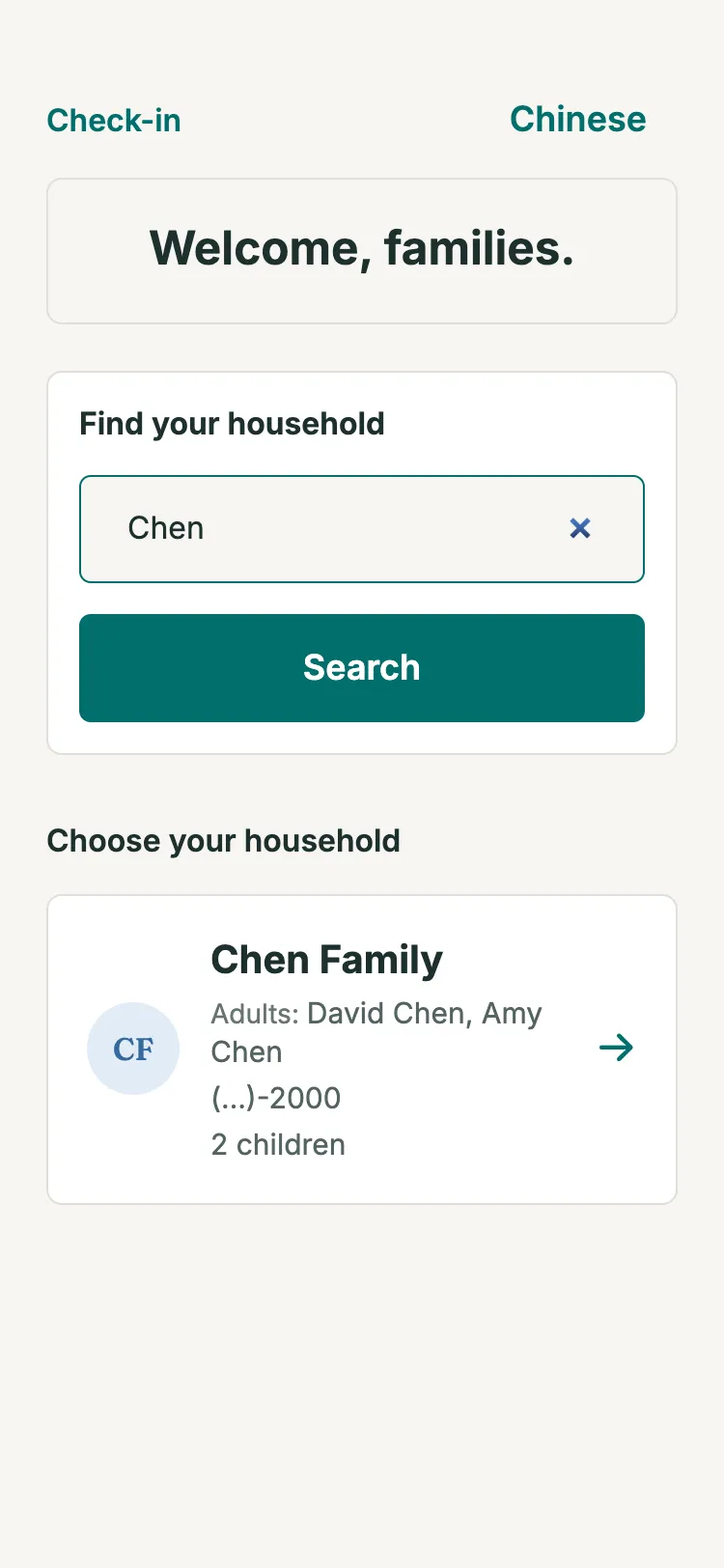
Search by a child's name or a parent's phone number, tap the children being dropped off, and check in.
A touch-friendly kiosk on any tablet browser. Parents find their family, tap who they're dropping off, and get a pickup code. Your children's team sees who is in the room right now.
Search by a child's name or a parent's phone number, tap the children being dropped off, and check in.
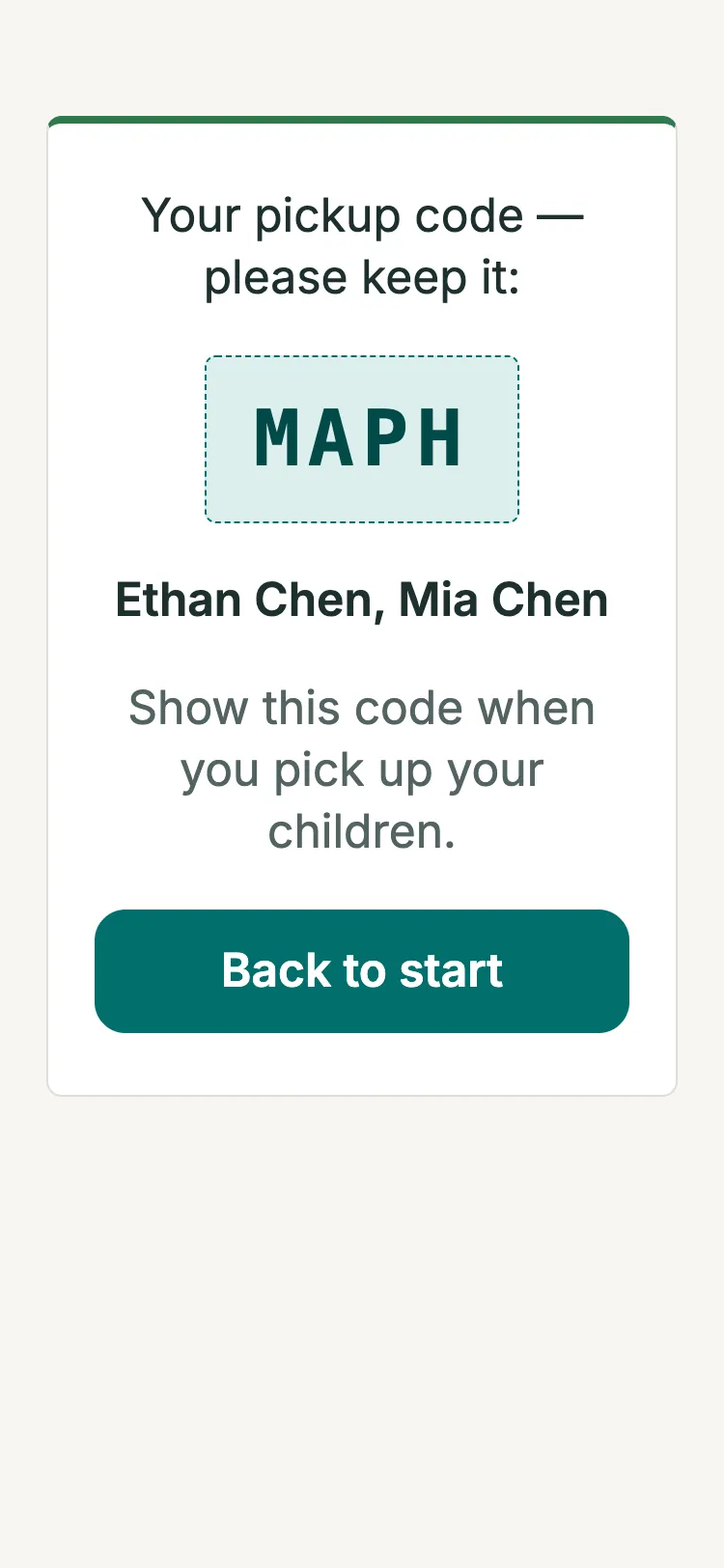
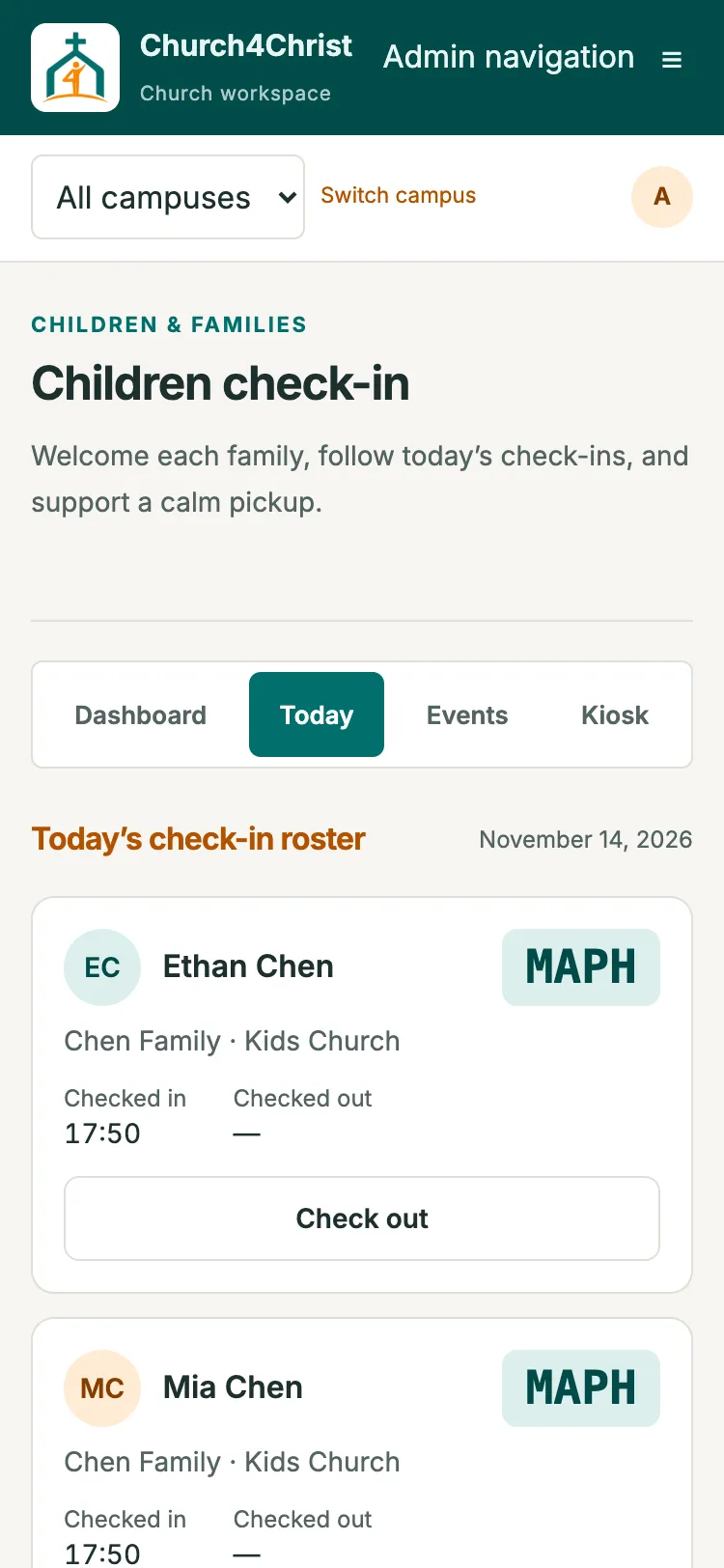
Each check-in gets a 4-character code on screen. Siblings checked in together share one code, and the code guards checkout.
The Today tab lists every check-in with its code and times, with a staff checkout when a parent has lost the code.
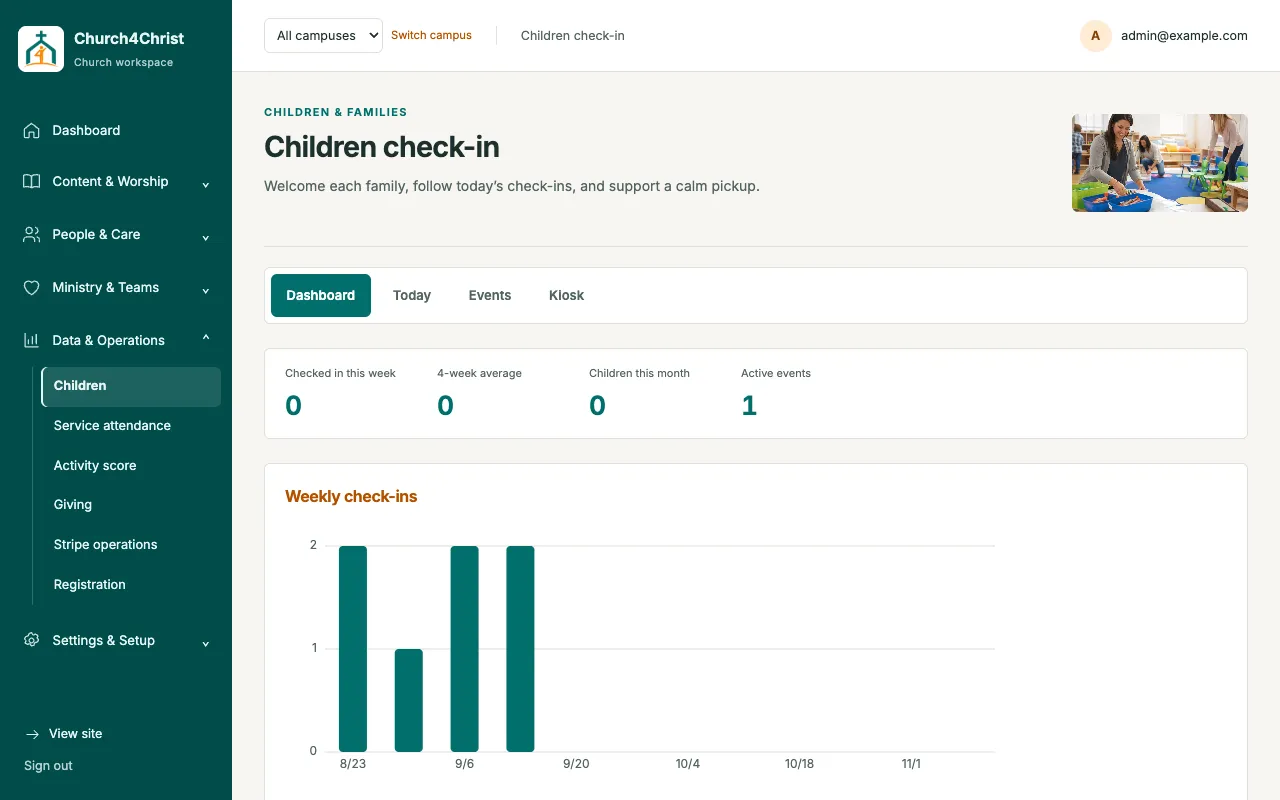
This week's count, a 4-week average, distinct children this month, and a 12-week attendance chart.
The kiosk runs from a private link, shown with a QR code. If a tablet goes missing, regenerate the link and the old device is shut out.
The kiosk switches language with one tap, and families need no account or sign-in.
Every child recorded under a household in People can check in the moment the feature is on. There is nothing separate to register.
Turn on Service Attendance to record adult headcounts by service and derive a distinct child total from check-ins. Reports download as CSV without personal details.
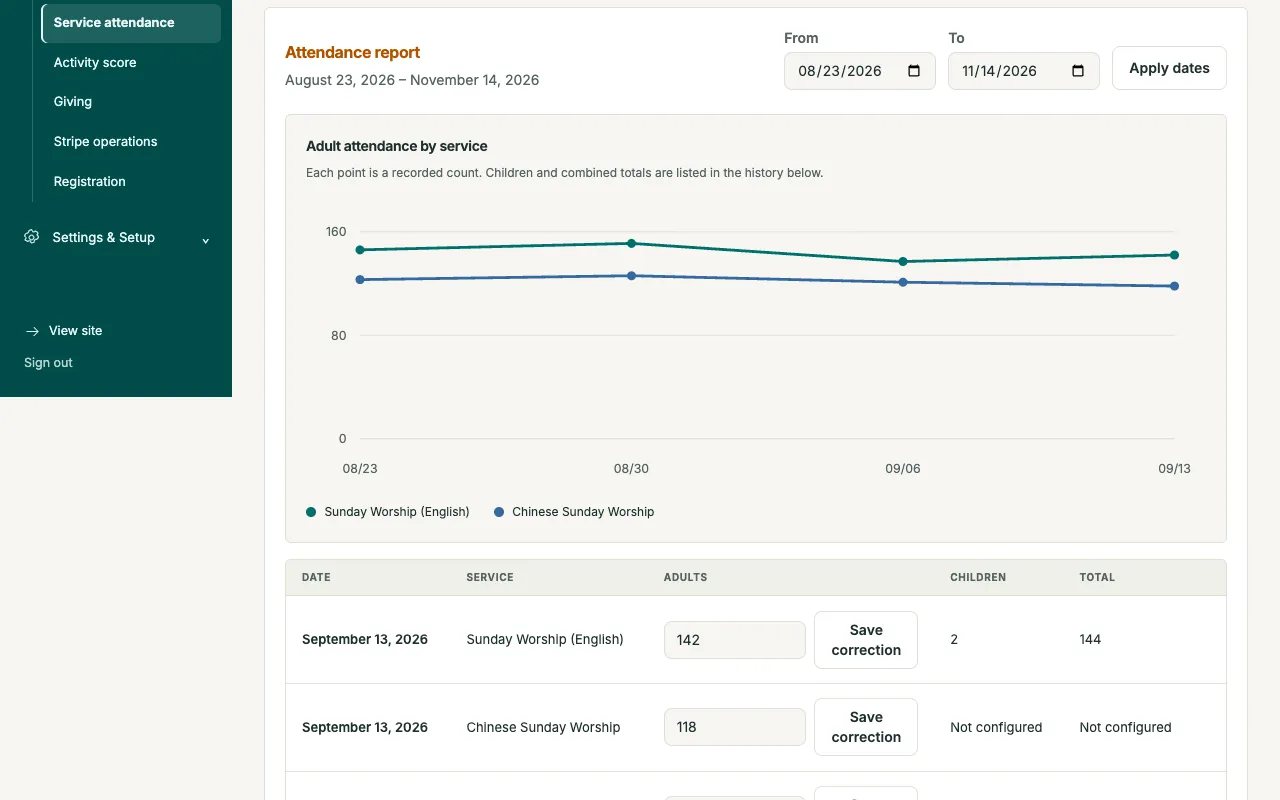
The dashboard shows this week, a 4-week average, and a 12-week bar chart so a dip is easy to spot. Classes can run every day or on a chosen weekday, and retiring one keeps its history.
Open the demo church in your browser, then read the setup guide when you are ready.