Open-source church check-in
A kids check-in kiosk for your church. Parents check children in on a tablet and get a pickup code; your children's ministry team sees who is in the room right now.
preset: checkin
church-checkinChurch4Christ brings a church website in up to twelve languages together with people, groups, volunteer scheduling, children’s check-in, giving, and more. It runs on your own Cloudflare account, and the code is open source.
No account to create. Explore the demo as a visitor, member, or administrator with fictional data.
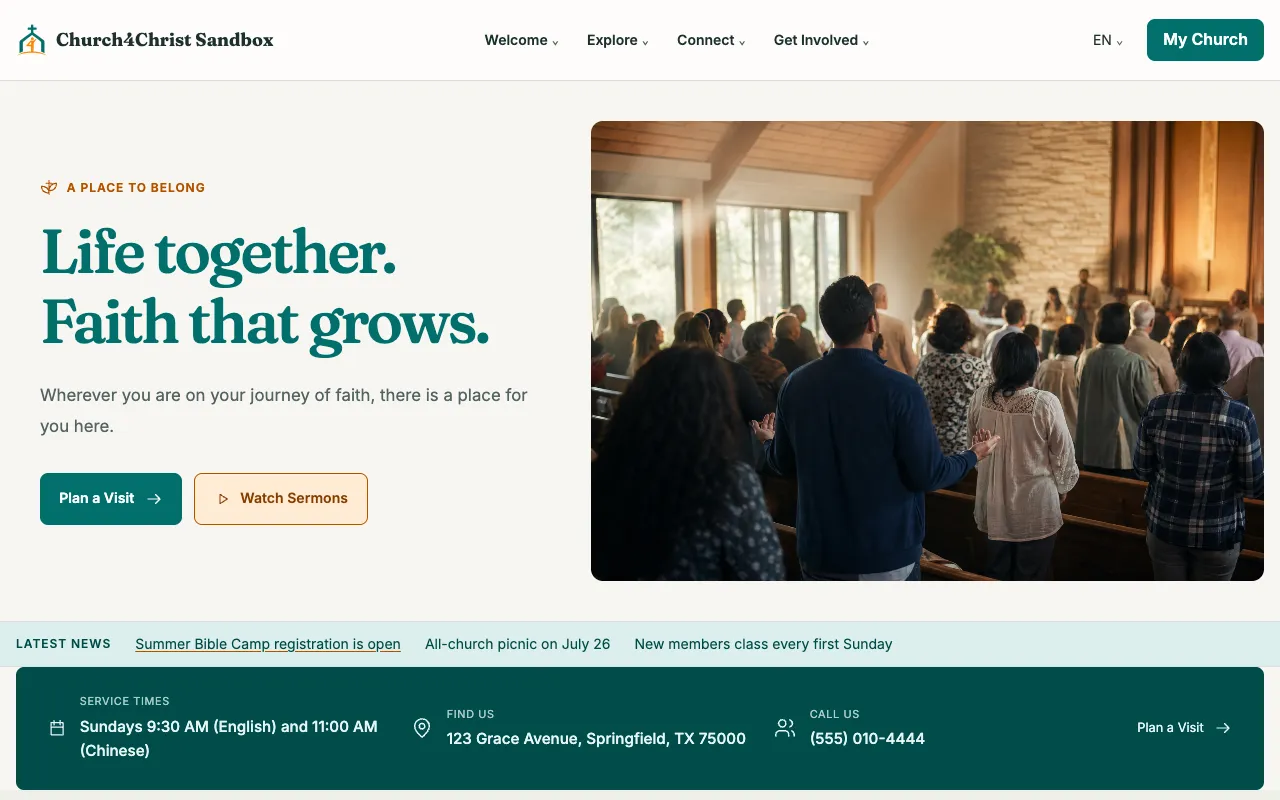
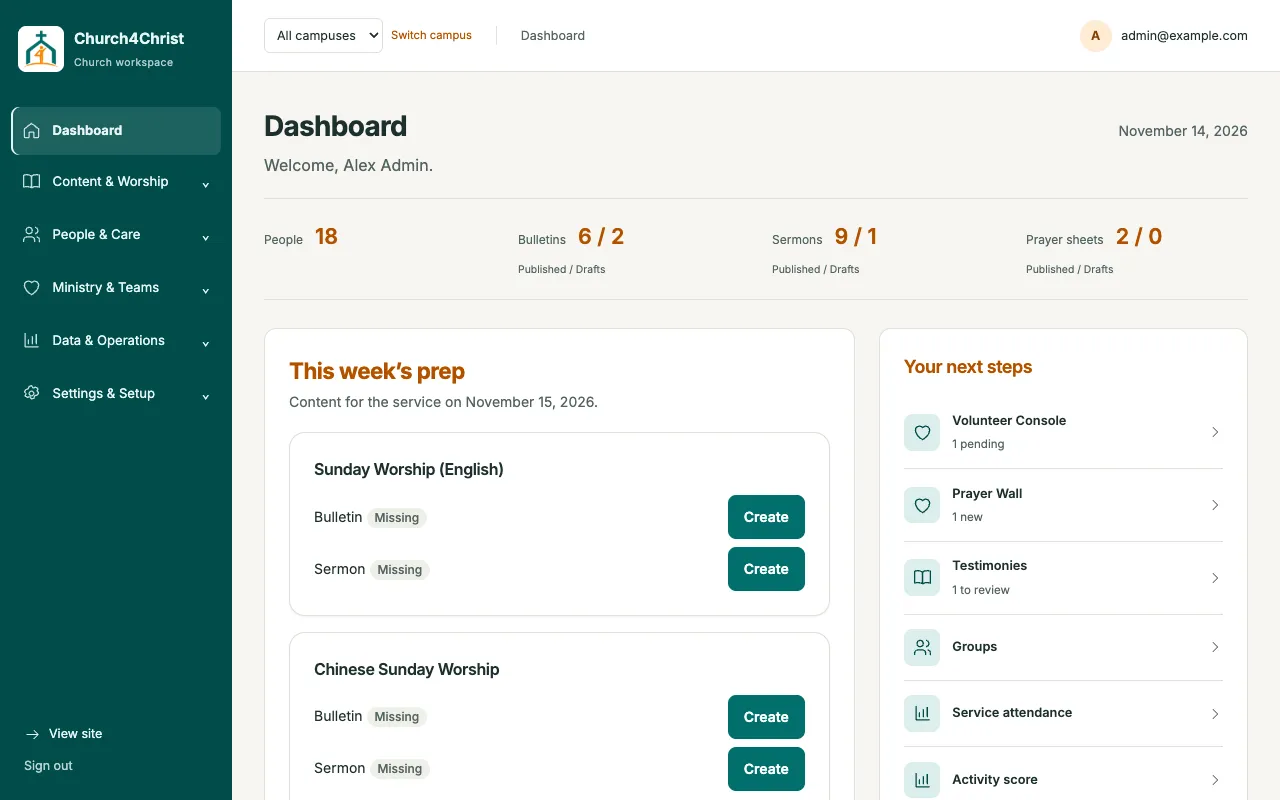
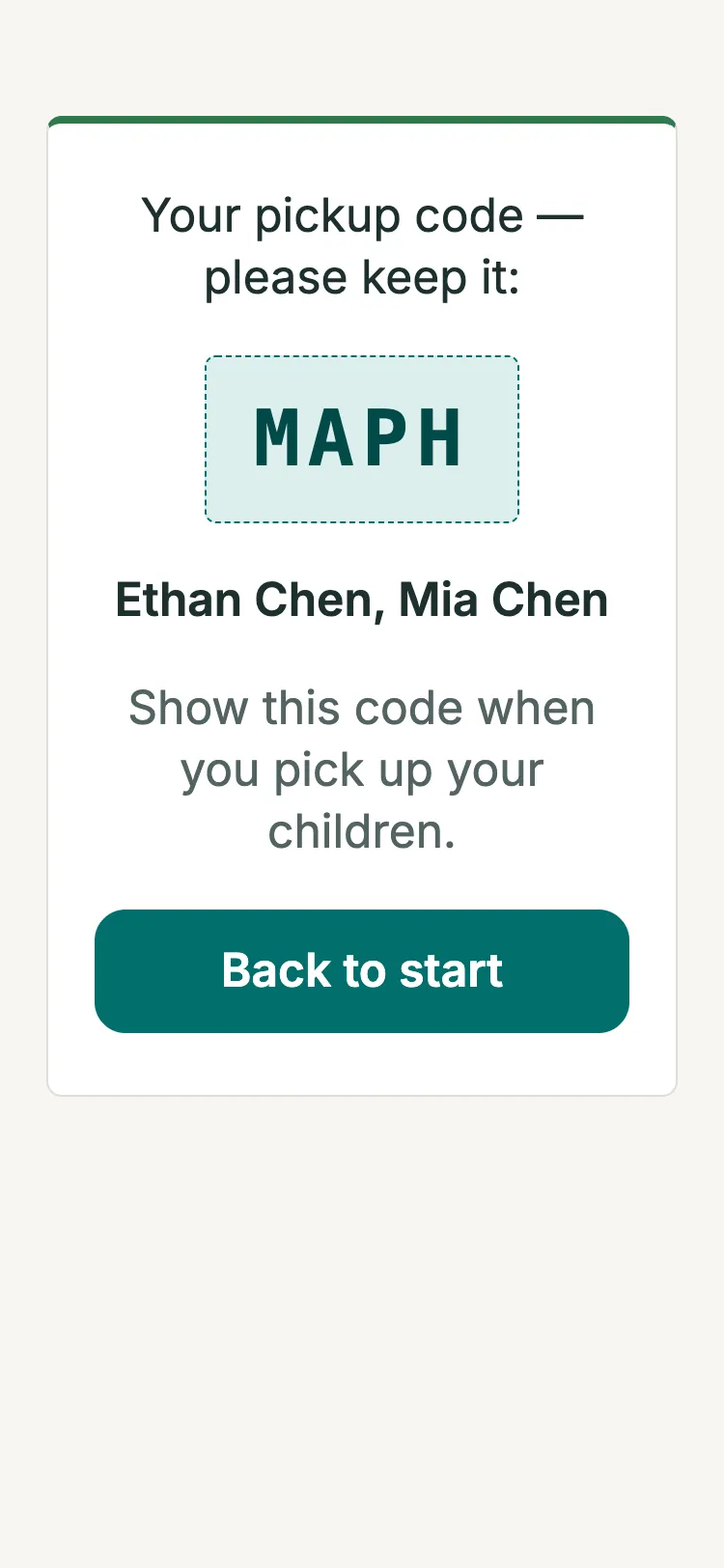
Real screens from the current release, shown with the project’s fictional demo church.
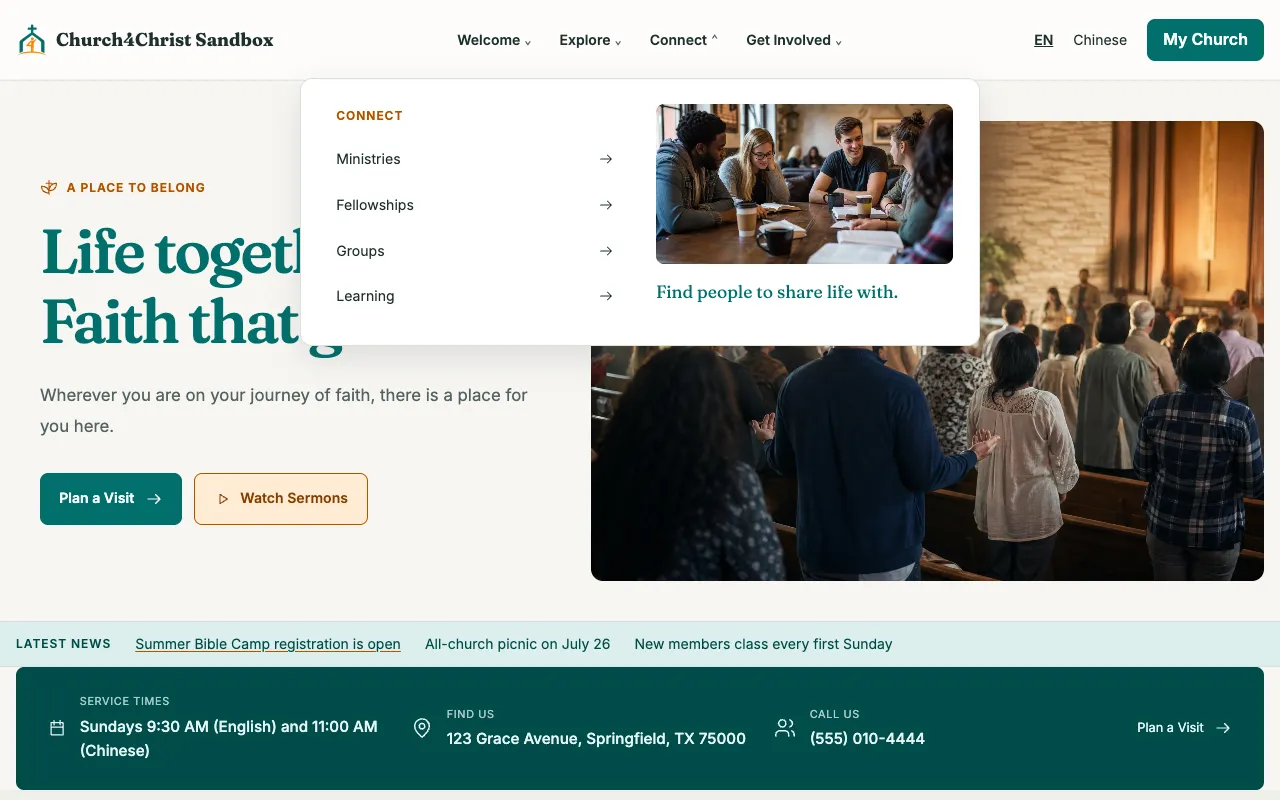
A multilingual public site whose menus group every enabled module into Welcome, Explore, Connect, and Get Involved.
This week’s bulletin and sermon prep, with next steps across your modules.
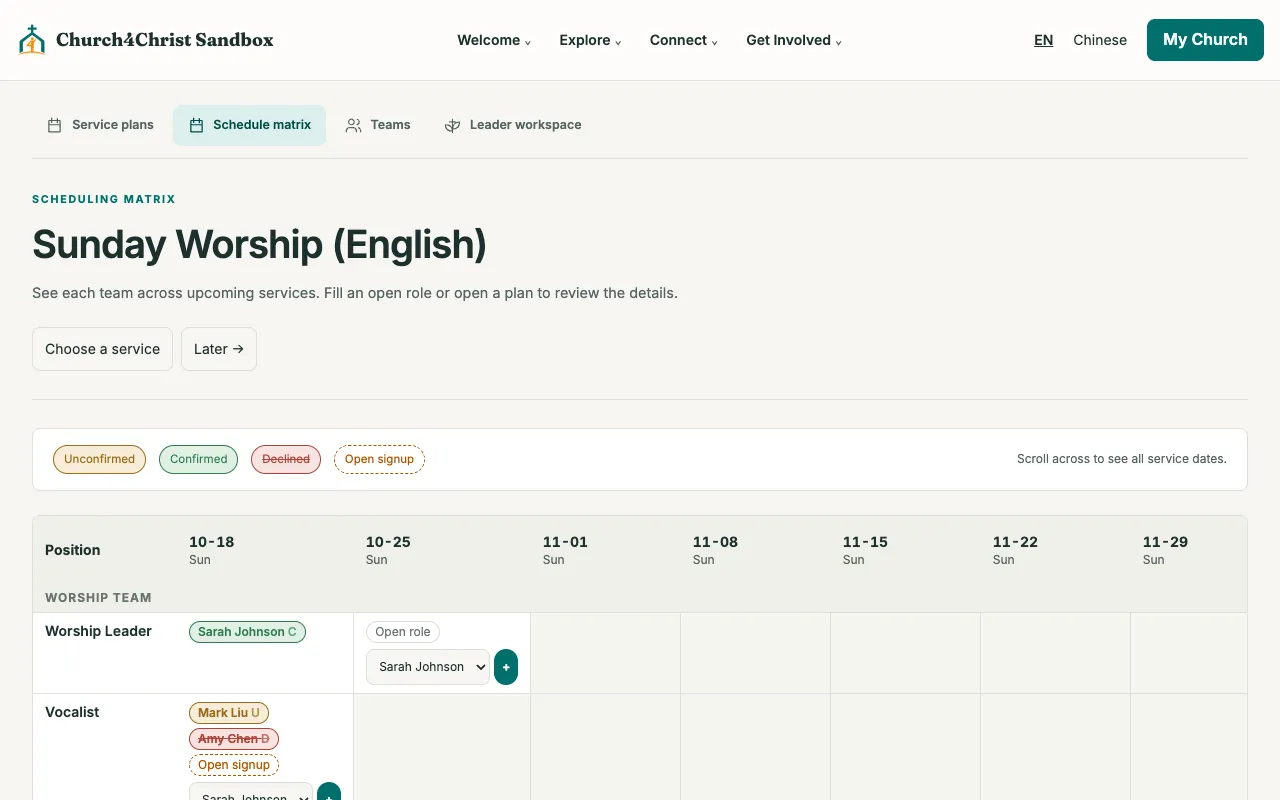
A month of serving at a glance, with confirmations by email.
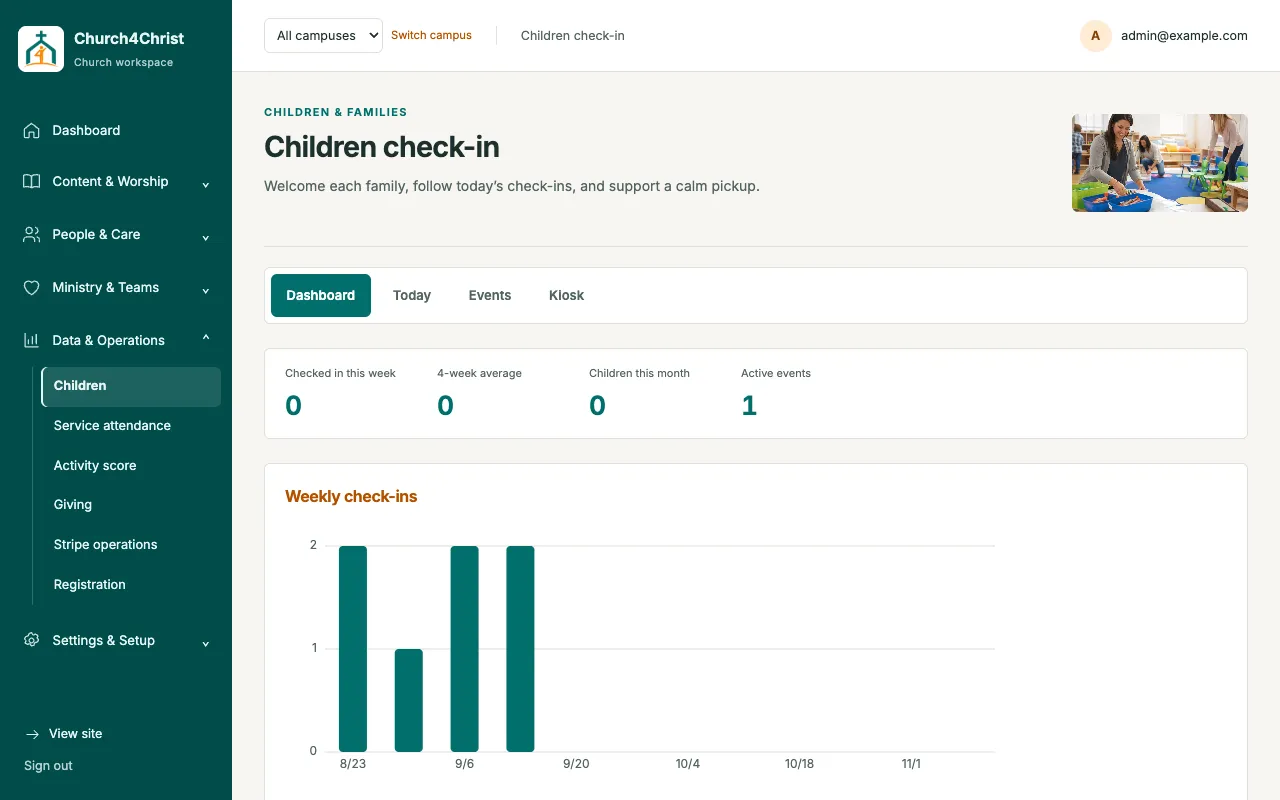
Weekly check-ins, a 4-week average, and a 12-week chart.
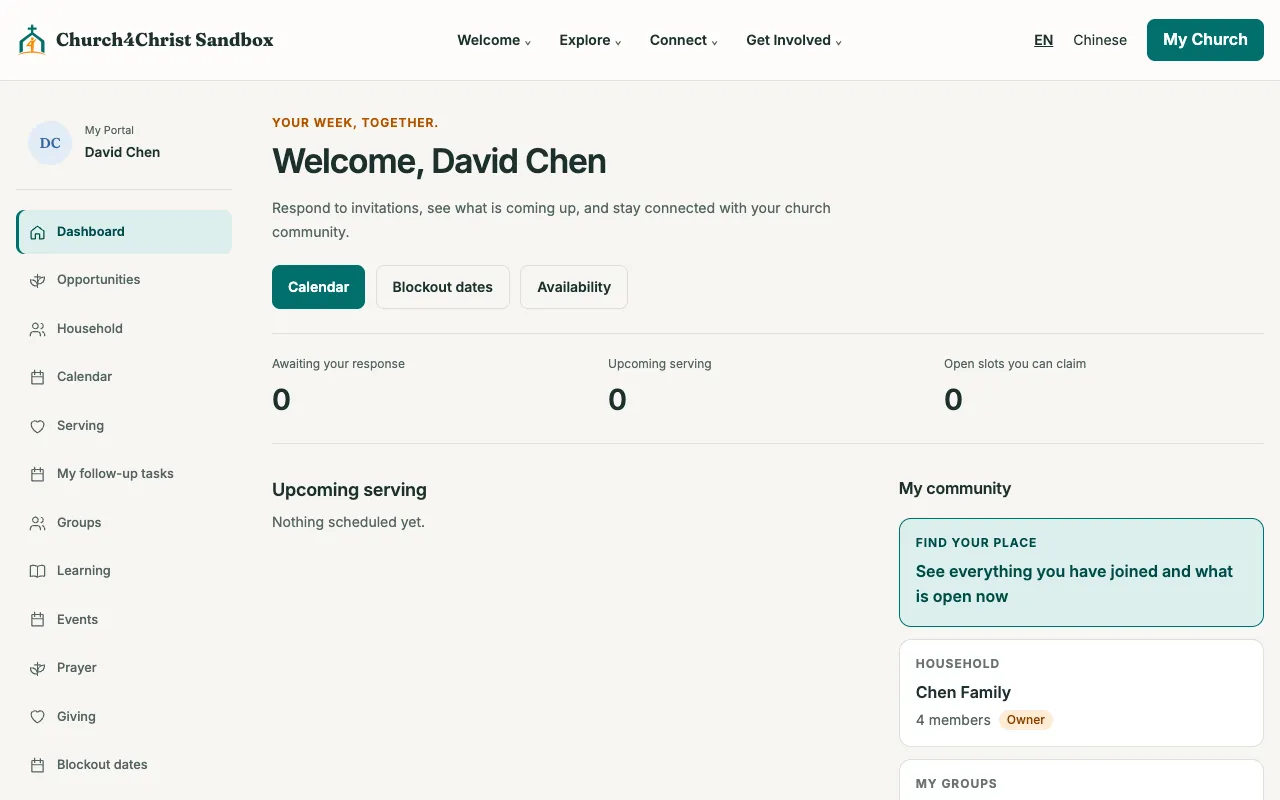
A signed-in home with serving, household, groups, and prayer.
Start with a website, add community tools when you are ready, and turn anything off without deleting a thing.
Sermons, bulletins, events, articles, and a drag-and-drop page builder in three themes.
ExploreHouseholds, membership status, private pastoral notes, small groups, and newcomer follow-up.
ExploreA monthly matrix, confirm or decline from email, blockouts, reminders, and calendar feeds.
ExploreA tablet kiosk with pickup codes, a live roster, and attendance charts.
ExploreStripe-hosted giving, a ledger for checks and cash, and annual statements.
ExploreRun sheets with a live clock, rehearsals, availability, and find-a-time.
ExploreOne signed-in home for groups, serving, household, giving, and prayer.
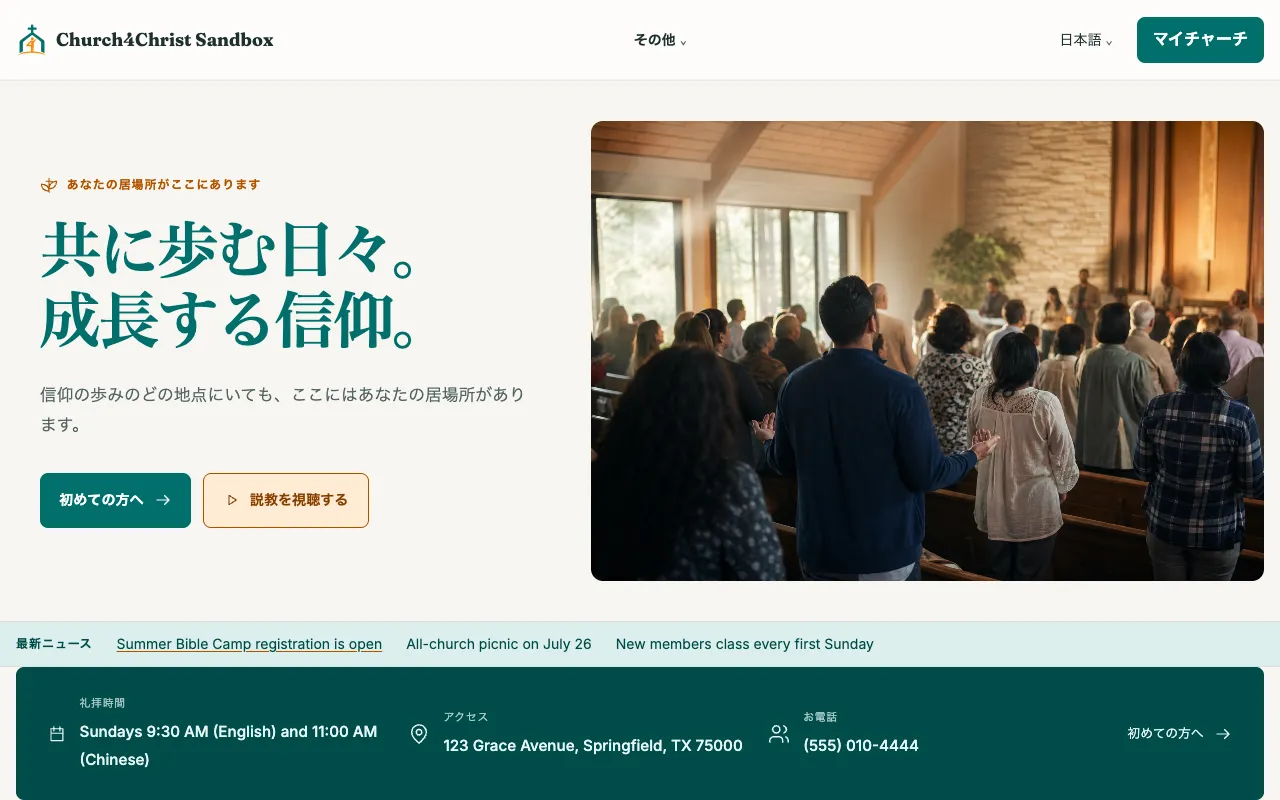
ExploreMany churches worship in more than one language. Church4Christ ships with twelve interface languages; you turn on the ones your congregation uses and choose a default.
Version 1.5 reworked check-in and volunteer scheduling for 375px screens: cards instead of wide tables, thumb-sized buttons, and the right phone keyboard at the kiosk.
Check-in
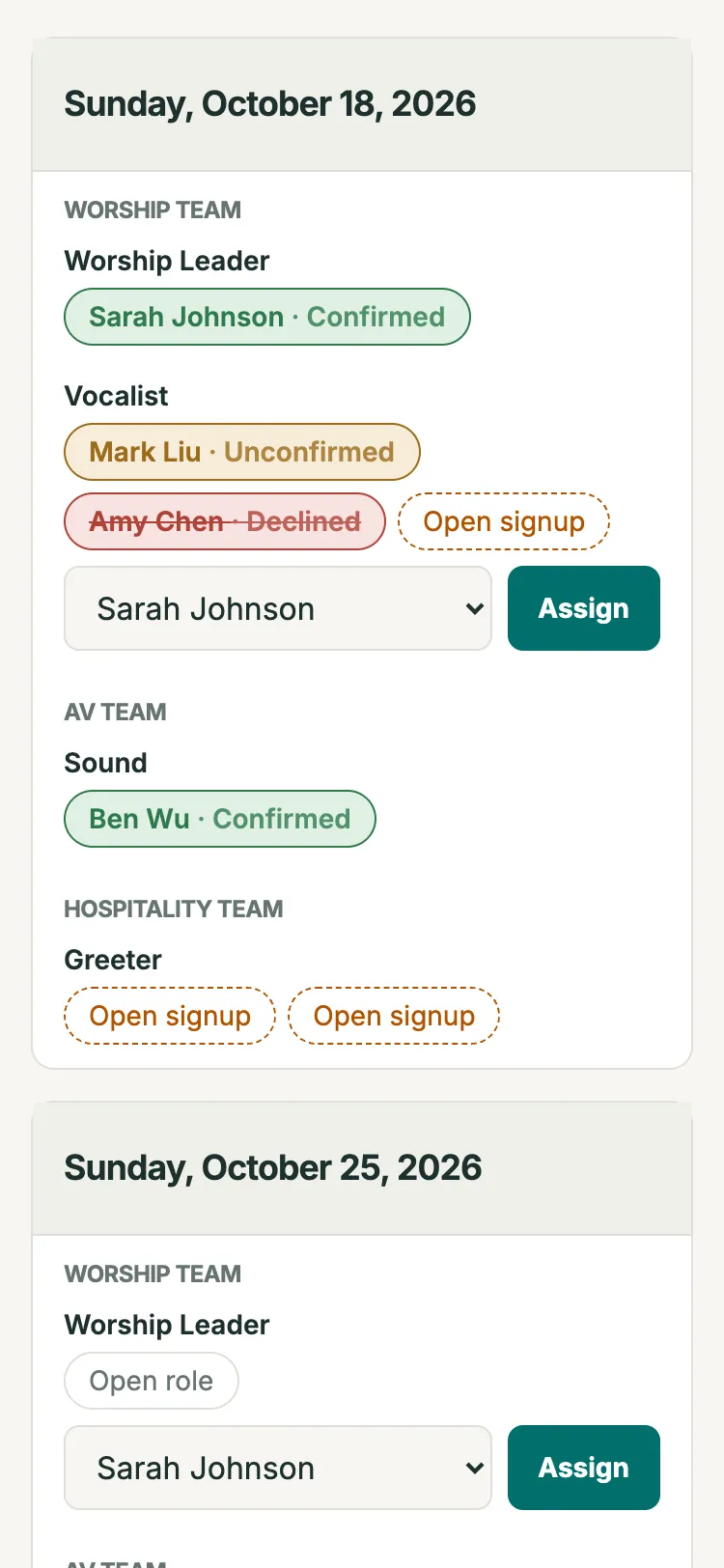
Scheduling
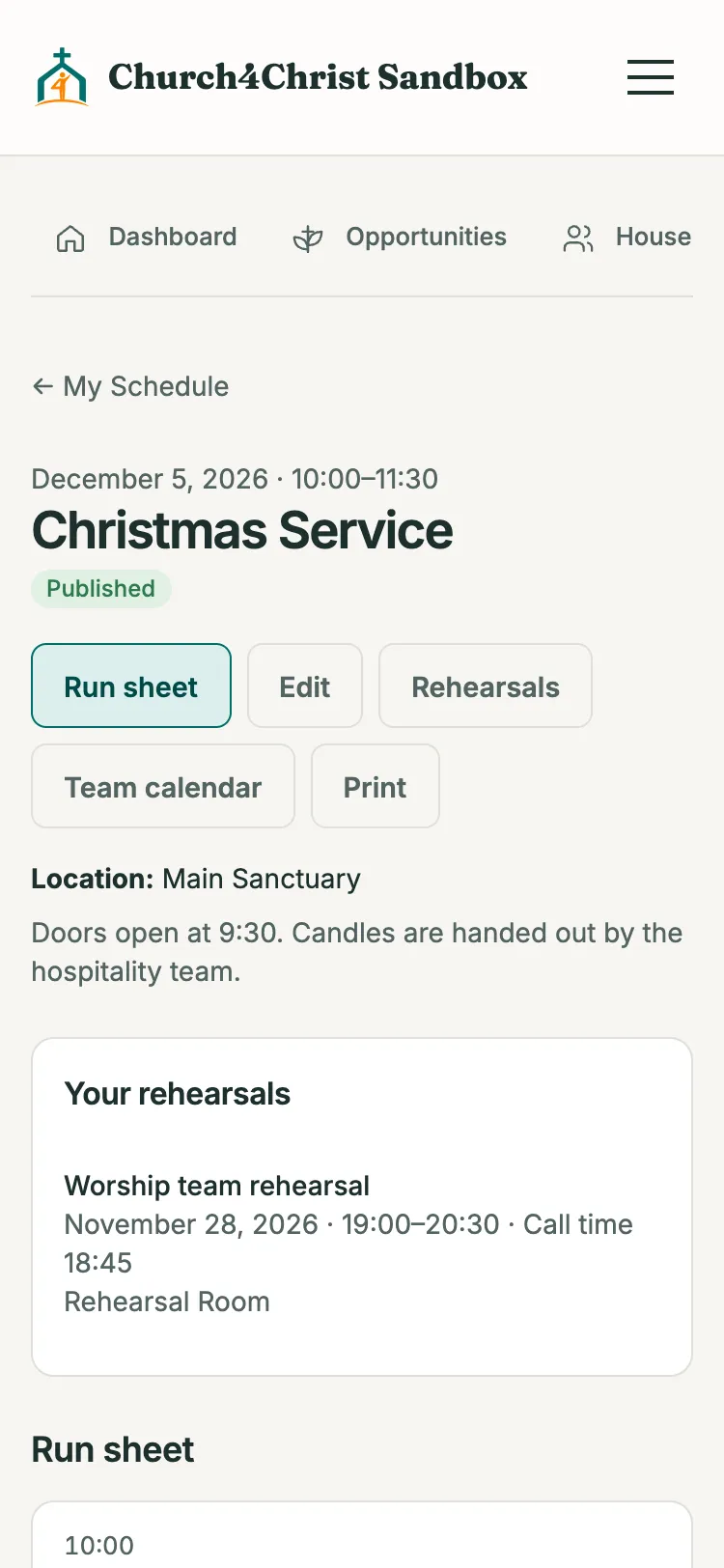
Run sheet
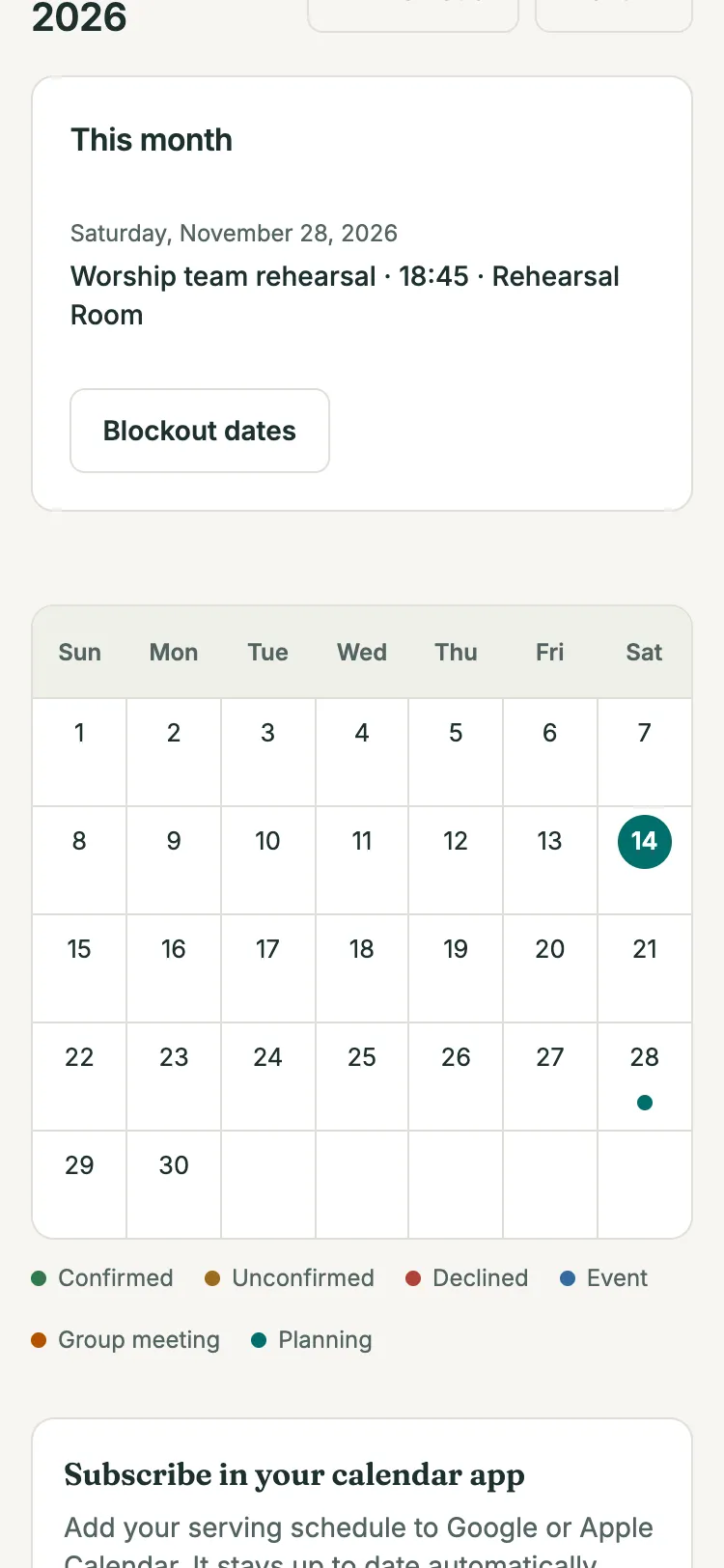
My calendar
There is no native app to download. It is the same website, sized for phones.
Click around a fully stocked demo church as a visitor, a member, or an administrator. Nothing to install.
Try the live demoClone the repository and run one command to open a local setup form for your name, colors, logo, and first features. Or ask your AI coding assistant to follow the setup guide.
$ git clone https://github.com/leveo/church4christ.git$ cd church4christ && npm ci$ npm run onboard
Begin with Website + Community on Cloudflare D1. Add the member portal, giving, or service planning later in Settings → Modules.
Read the setup guide“Read AGENTS.md and docs/setup.md. Start the browser onboarding so I can choose our organization’s branding and first features. Use my saved preferences to set up a local preview, verify the site and administrator pages, then report the URL and remaining checks.”Switch a module off and its pages, links, and emails disappear together. Nothing is deleted, and you can switch it back at any time.
Build and publish weekly service bulletins.
Publish a searchable sermon archive.
Prepare and publish prayer sheets.
Publish bilingual articles.
Build custom bilingual pages with blocks.
Receive and care for prayer requests.
Publish events and announcements.
Publish the fellowship directory.
Manage group membership, events, registration, and attendance.
Manage people, households, and pastoral notes.
Run secure child check-in and attendance.
Record aggregate adult service attendance and report child check-ins.
Receive newcomer cards and coordinate personal follow-up.
Monitor explainable member activity and church-wide engagement.
Give members household, group, calendar, prayer, and opportunity discovery tools.
Record gifts and optionally accept Stripe payments.
Run free or paid event registration.
Continue ministry courses beyond classroom time.
Coordinate ministries, teams, plans, and reminders.
Help people discover gifts and serving matches.
Collect and publish serving testimonies.
Plan run sheets, rehearsals, availability, and calendars for services and events.
Giving and Registration need the Supabase (PostgreSQL) backend. Everything else runs on the default Cloudflare D1 database.
Each edition installs the same codebase with one area turned on. There is no separate code to maintain, and you can turn on more later.
A kids check-in kiosk for your church. Parents check children in on a tablet and get a pickup code; your children's ministry team sees who is in the room right now.
preset: checkin
church-checkinSchedule worship, kids, hospitality, and tech teams. Volunteers confirm or decline from an email link, block out dates, and subscribe to their serving calendar.
preset: volunteer-scheduling
church-volunteer-schedulingA home for your church's small groups: a public directory, join requests, recurring meetings, and attendance taken from an emailed checklist.
preset: small-groups
church-small-groupsA multilingual church website your staff can update without a developer: sermons, events, bulletins, articles, prayer requests, and a block page builder.
preset: website
church-website-cmsChurch4Christ is not a subscription. You pay your providers directly for what you use, and many small churches start inside Cloudflare’s free allowances.
$0
Website or community modules on your own computer with local D1
No hosted-service charge for local D1 evaluation. You provide the computer and the time.
Often $0 to start
A Cloudflare Worker, D1, and R2 for up to 20 D1-compatible modules
A modest deployment can fit within Cloudflare free allowances. Traffic, storage, and operations beyond the allowances, a domain, and other services can cost money.
From $5 / month
Sign-in links, reminders, requests, and digests to any recipient
Sending to arbitrary recipients requires Workers Paid, currently a minimum of $5/month including 3,000 emails, then $0.35 per 1,000 emails.
Cloudflare + Supabase plan
Cloudflare plus Supabase/PostgreSQL for the Full Church modules, including Giving and Registration
The selected Supabase plan may add charges. Supabase Free has no automatic daily backups and low-activity Free projects may be paused, so take regular off-site dumps or choose a plan whose backups fit your needs.
These are planning profiles, not price guarantees. Prices are as of August 2026 and can change; confirm them on the linked official pricing pages before you deploy.
Church4Christ covers much of the everyday church-management ground in one self-hosted application, and an optional read-only sync lets both systems run side by side while you transition.
| Common need | In Church4Christ |
|---|---|
| People and households directory | People & households with CSV import, saved source-column mappings, and export |
| Small groups | Groups with a public directory, join requests, events, and attendance |
| Volunteer scheduling | A monthly matrix with email confirmation, no login needed |
| Service planning | Run sheets, rehearsals, availability, and calendars for services and events |
| Children's check-in | Kiosk check-in with pickup codes and attendance charts |
| Attendance and engagement | Service attendance and explainable activity scores |
| Newcomer and care follow-up | Newcomer queue, prayer wall, and community workflows |
| Church website and CMS | Public site, themes, sermons, bulletins, and page builder |
| Member self-service | Member portal for household, groups, and prayer, on D1 or Supabase |
| Online giving | Stripe giving with an offline ledger and annual statements (Supabase backend) |
| Multiple campuses | Multi-campus with campus-isolated data and roles |
Planning Center and other product names are trademarks of their respective owners. Church4Christ is an independent project and is not affiliated with them.
Read the full comparisonThe software is free and open source. Hosting, email, database, and domain services may cost money depending on your setup and usage; some small deployments fit within provider free allowances.
Church4Christ is open source so that it helps the churches that need it. Its GPL-3.0 license requires anyone who distributes a modified version to share that source under the same license, so it cannot become a closed product sold for profit. Charging a church fair fees for setup, customization, hosting, or support is welcome. The license text decides the details.
No. Church4Christ is source code your church hosts on its own Cloudflare account. There is no Church4Christ account to create; the live demo is there so you can try it first.
Small and mid-size churches, fellowships, and nonprofits, especially multilingual and immigrant congregations, with a technically comfortable staff member, volunteer, or partner to deploy and maintain it.
It works best when someone technically comfortable owns deployment and updates. The browser onboarding and AI-assistant guides lower that effort, but someone still has to review changes, back up data, and deploy.
Twelve interface languages: English, Chinese, Spanish, Brazilian Portuguese, French, German, Japanese, Korean, Malay, Indonesian, Vietnamese, and Hindi. Each church turns on the ones it needs and picks a default; Chinese readers also get one-click Simplified-to-Traditional. Your own content (sermons, events, pages) is written by your team in each language.
An optional, read-only Planning Center People sync links person records and sends ambiguous matches to human review, so both systems can run side by side. People are brought across with the CSV importer.
Start with Cloudflare D1 unless you need Giving or Registration, which require Supabase/PostgreSQL. There is no automated D1-to-Supabase migration yet, so decide before entering real content.
Astro on Cloudflare Workers, with Cloudflare D1 or Supabase/PostgreSQL for data and Cloudflare R2 for media. Public pages ship no client-side framework.
Open the demo church in your browser, then read the setup guide when you are ready.