Ministries, teams, positions
A ministry holds teams, a team defines positions, and a plan is one dated service. A wizard sets up a new area in a few minutes.
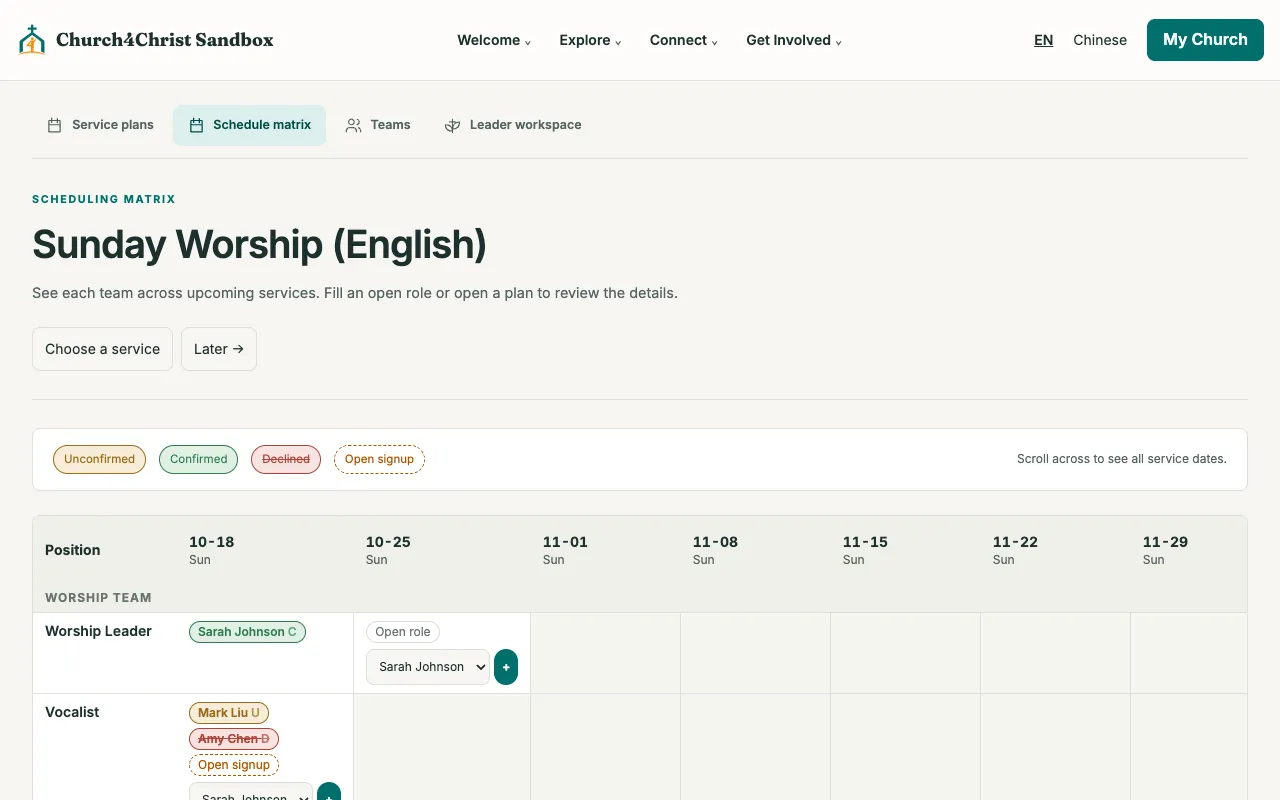
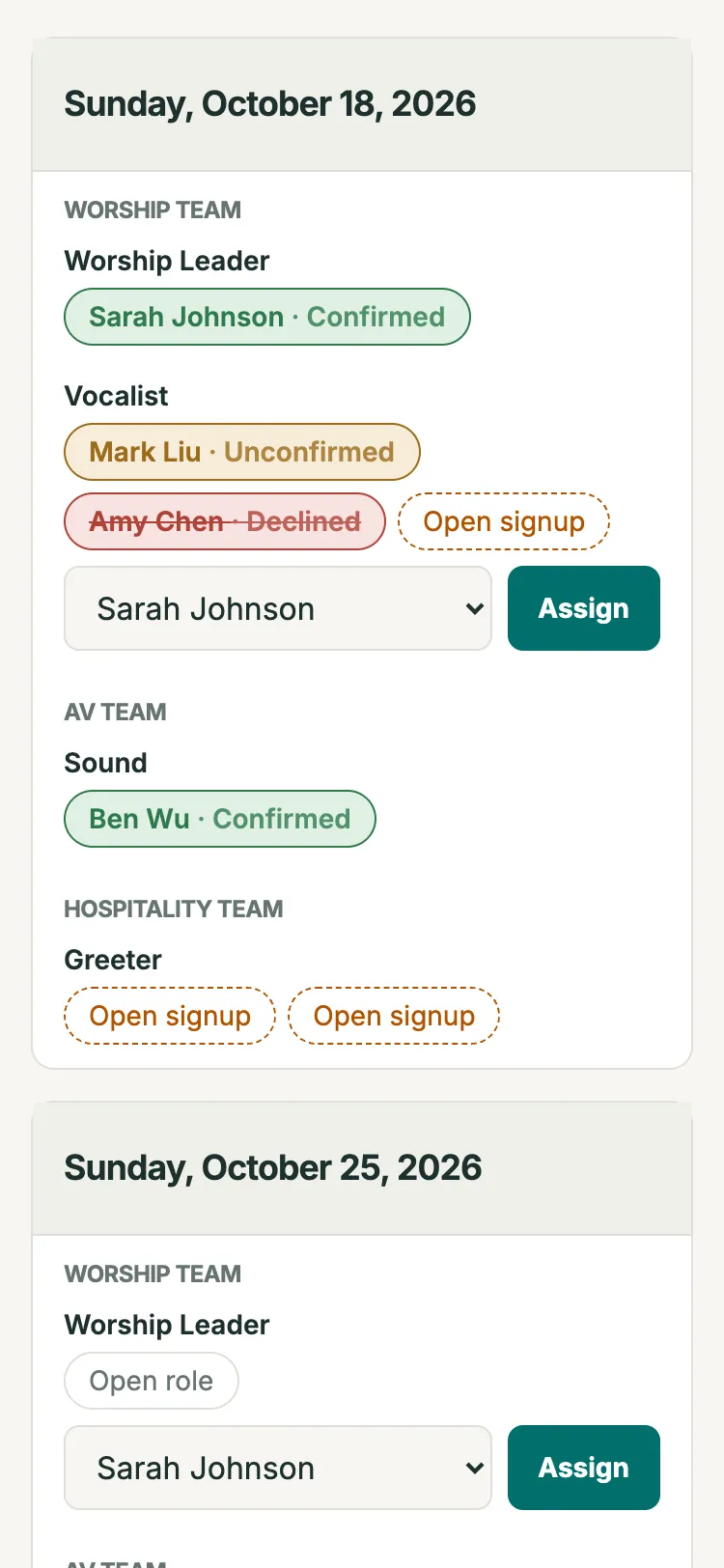
Plan a month of serving at a glance. Volunteers confirm or decline from an email link with no login, and a decline reaches the team’s leaders right away.
A ministry holds teams, a team defines positions, and a plan is one dated service. A wizard sets up a new area in a few minutes.
Click a cell to assign someone. The site warns when a person is already booked that day or has a blockout.
Each assignment sends a single-use link. No sign-in needed, and a decline emails the team’s leaders immediately.
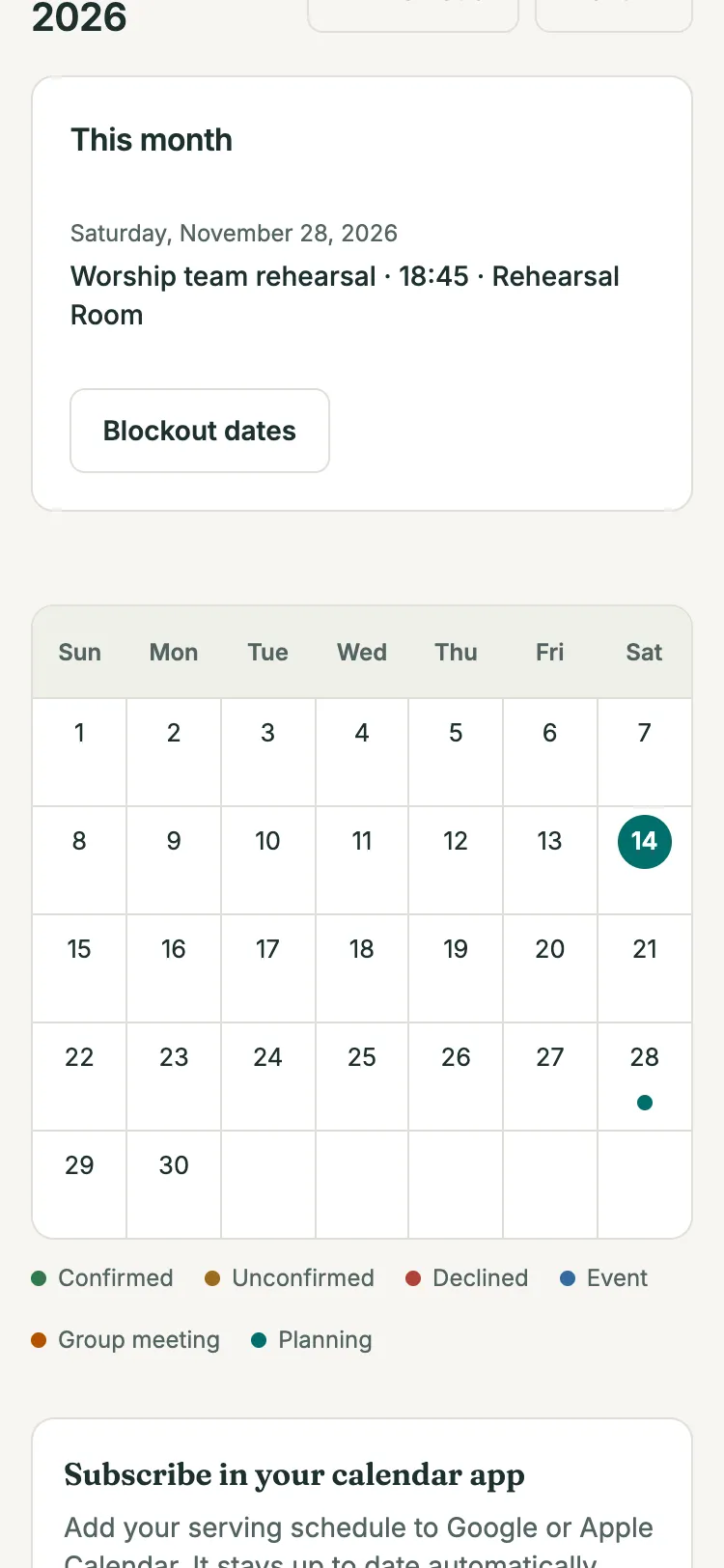
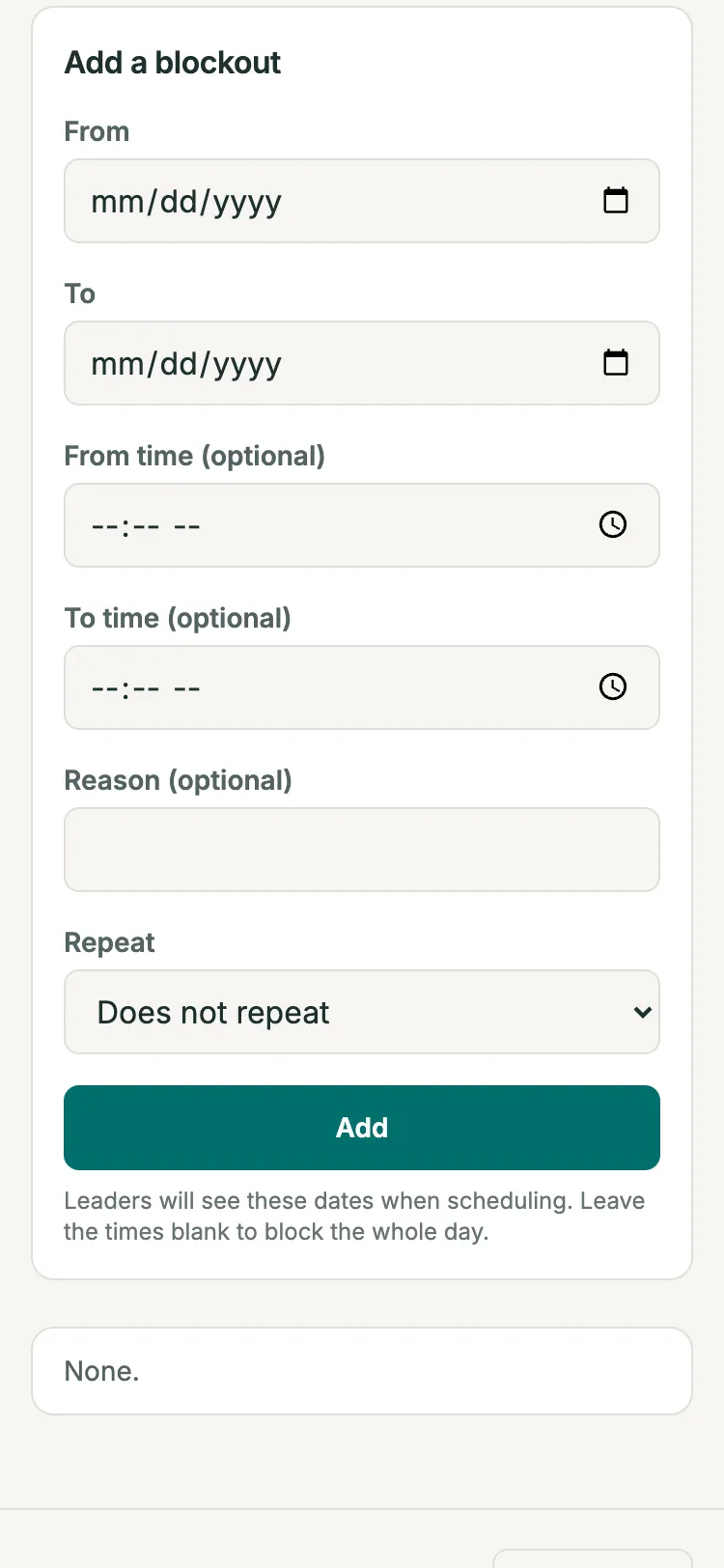
Volunteers mark single days, ranges, or repeating dates away, and claim open slots themselves.
Unconfirmed volunteers get a reminder before their service, and everyone gets a weekly list of their serving.
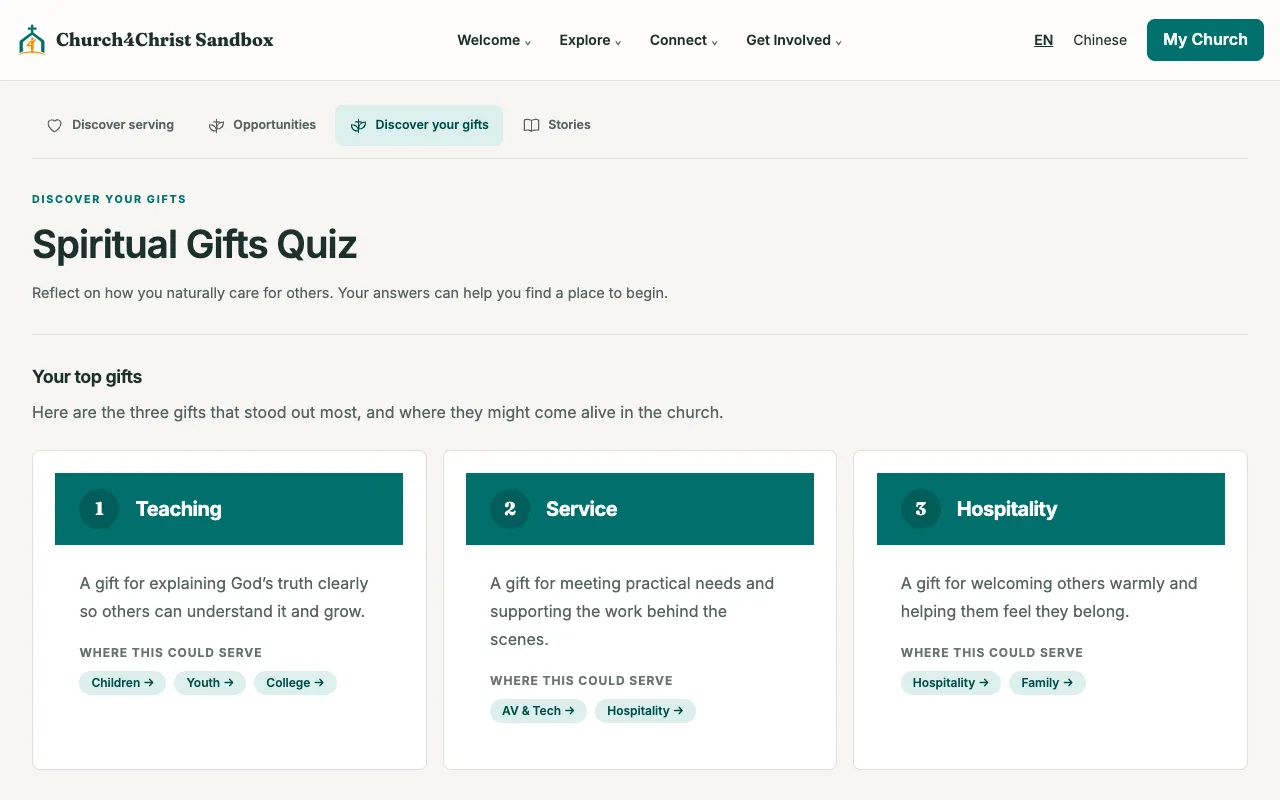
A 40-statement spiritual gifts quiz recommends ministries, and an opportunity board lets anyone apply to an open team.
Each volunteer has a personal schedule, a month calendar, and a private subscribe link for Apple Calendar, Google Calendar, or Outlook, so serving dates sit next to everything else.
People who are unsure where to serve can take the gifts quiz. Results highlight their top gifts and suggest ministries they can add to their interests, so leaders know they are open.
Plans run down one axis and positions across the other, so a leader can see every gap in a month at once. Generate future plans in one step, copied forward week by week, up to about a year ahead.
Open the demo church in your browser, then read the setup guide when you are ready.